If the SQL Server Database Engine service (MSSQLSERVER for standard instances or MSSQL$InstanceName for named instances) is stopped, all incoming application connections will fail immediately
1. Log in locally or via Remote Desktop Protocol (RDP) to the Windows Computer/Server hosting the Microsoft SQL Server database.
2. Press Win + R, type SQLServerManager15.msc (or search for SQL Server Configuration Manager in the Start menu), and press Enter.
3. In the left pane, click SQL Server Services.
4. Locate your target instance in the list (e.g., SQL Server (MSSQLSERVER) for default instances or SQL Server (SQLEXPRESS) for named instances). Observe the State column.
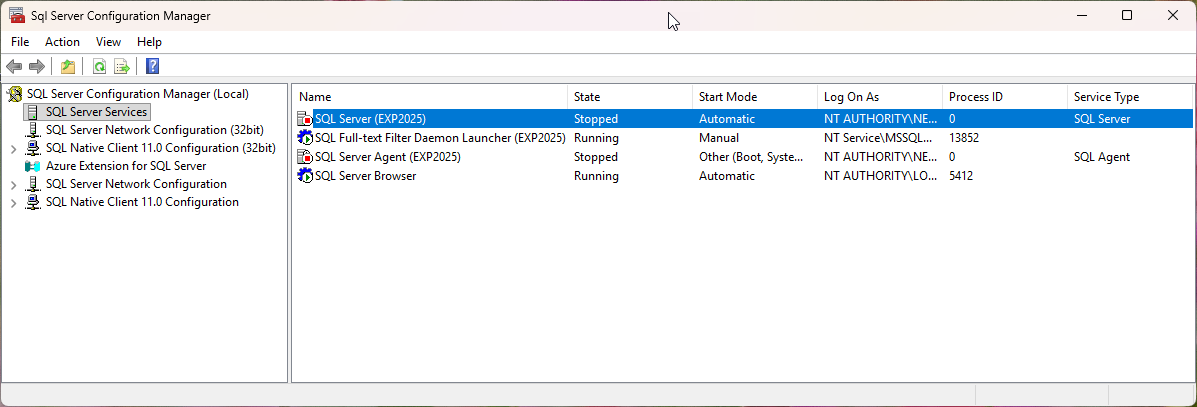
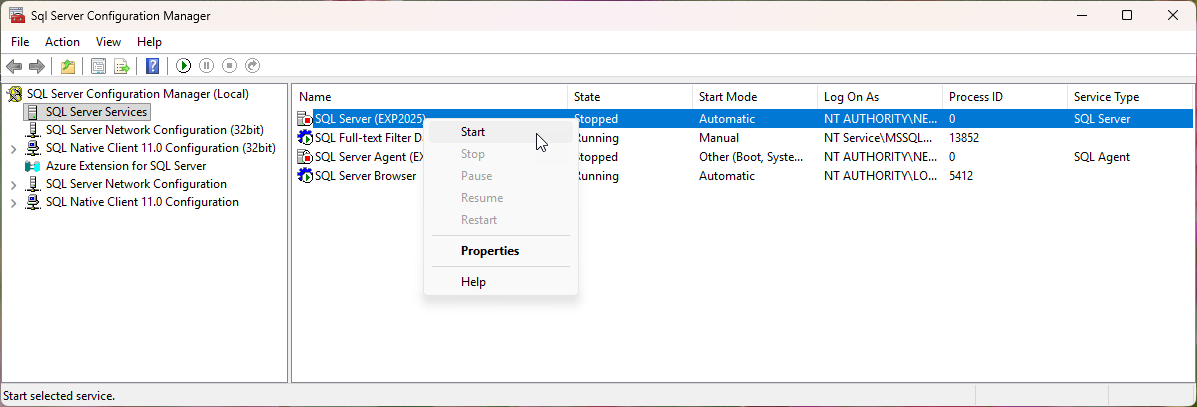
5. Right-click the target SQL Server instance name and select Start from the context menu (or click the green Play button on the top toolbar).
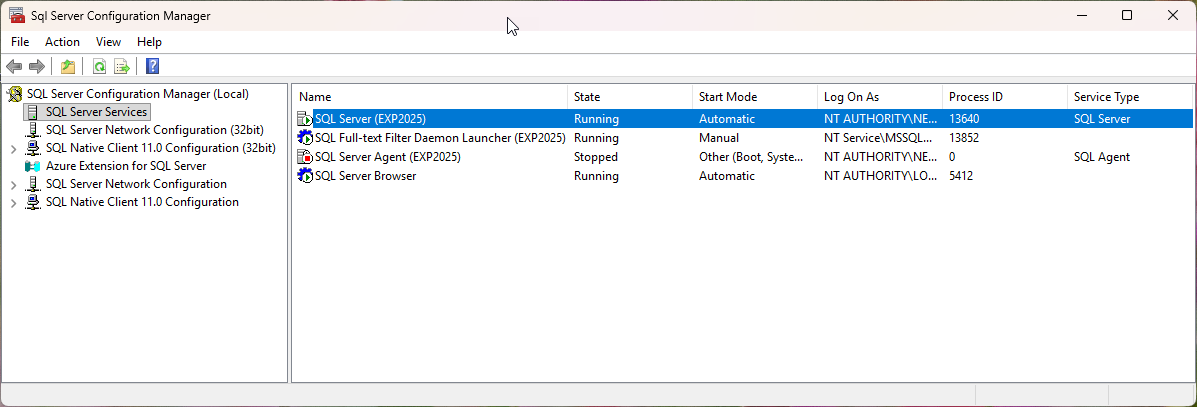
Alternatively, you can type in the search bar Services, open it, and then scroll down to SQL Server (SQLEXPRESS/OSNIUM), SQL Server Agent, and SQL Server Browser to perform the same task.Was this article helpful?
That’s Great!
Thank you for your feedback
Sorry! We couldn't be helpful
Thank you for your feedback
Feedback sent
We appreciate your effort and will try to fix the article